Connect TipMaster to ChatGPT or Claude
Ask about public soccer predictions, or connect your own TipMaster game.
TipMaster Soccer Expert Predictions
See what TipMaster players predicted, with player records going back to 1997. This public connection is free and read-only. It needs no TipMaster account, API key or sign-in.
Server URL: https://tipmaster.net/api/agent/mcp
Authentication: None.
It covers Classic and National: home/draw/away splits for the Top 20%, Top 25% and All players, plus the most likely score for National. Published shares include at least 20 players; small groups and expert groups before the deadline are withheld. Accuracy rates appear after at least 50 published matches for that band. Individual players, fantasy team names and personal records are never shown.
How do I add it to Claude on a computer?
- Open Customize → Connectors in Claude. Choose + Add, then Add custom connector.
- Name it TipMaster Soccer Expert Predictions and paste the server URL above.
- Choose No sign in if Claude asks about authentication. Leave credentials and request headers empty, then finish adding the connector.
- In a new chat, open + → Connectors and enable it. Ask:
Which Bundesliga matches have TipMaster predictions available?
Workspace administrators may need to add the connector first. Menu labels and availability depend on your Claude account. See Claude’s custom connector instructions.
Can I use it in Claude on a phone?
Add the connector on the web first. In the Claude phone app, sign in to the same Claude account, open the conversation’s connector menu and enable TipMaster Soccer Expert Predictions. If it is unavailable in your app or workspace, use Claude on the web.
How do I add it to ChatGPT on a computer?
- Open ChatGPT Plugins on the web. Select the + button, then Add custom MCP server.
- Enter TipMaster Soccer Expert Predictions as the name and paste the server URL above under Connection.
- Select No authentication. Review ChatGPT’s warning and, if you agree, select Create as a plugin.
- Install the resulting plugin. Start a new conversation, type @ and select it. Ask:
What did TipMaster players predict for this week’s Classic matches?
Account and workspace restrictions may limit custom connections. If your interface differs, follow OpenAI’s current custom MCP instructions. Adding a personal connection does not mean the app is listed in a public directory.
Can I use it in ChatGPT on a phone?
Set it up on ChatGPT’s website first. If your phone app offers the installed plugin in its tool selector, select it there using the same account and workspace. Custom MCP availability on phone can differ; use ChatGPT on the web if it is missing.
What should I ask?
Find TipMaster predictions for Bayern matches.
What is the most likely score for this National match?
How often was each TipMaster player group right?
An unavailable score, band or accuracy rate means there is not enough publishable data, or its release deadline has not passed. Classic records home/draw/away predictions, so it has no exact-score prediction or exact-score accuracy rate. World Tour, Fanclub and Friends & Family are not in this public feed.
TipMaster charges nothing; your assistant’s own plan and usage limits still apply. The feed allows 60 requests per minute and provides group statistics only. Remove the connector or plugin in your assistant to disconnect. Full feed documentation · Feed terms.
Connection instructions checked against provider documentation on 28 October 2026.
Your game: TipMaster Coach
Ask your assistant how your week is going, which predictions are still open, and let it save the scores you tell it. Free, for every TipMaster coach.
The short version. Add TipMaster Coach in ChatGPT or Claude, sign in with your TipMaster account and press Allow. From then on you can ask, for example, "Which of my TipMaster predictions are still open?" or "Put 2:1 for Bayern against Dortmund in every mode." You can disconnect at any time on your account page.
Looking for public expert predictions instead (no account)? Follow the TipMaster Soccer Expert Predictions instructions above.
What it can do
| Ask | What you get |
|---|---|
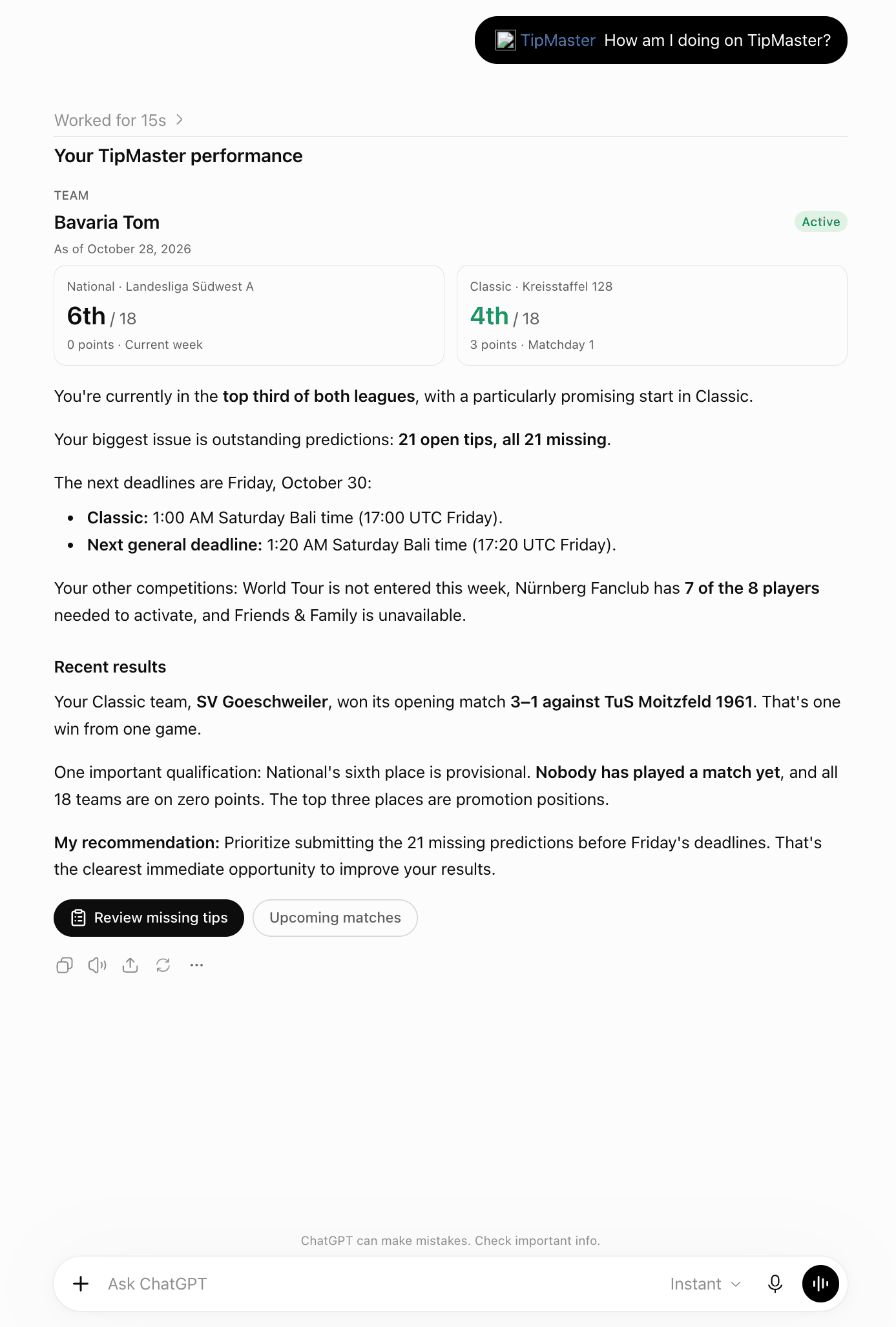
| "How am I doing on TipMaster?" | Every mode you play: your league or tournament, rank, points, next deadline and how many predictions are missing. |
| "Which predictions are still open?" | Every open match, grouped by real game, so one score can go to National, World Tour, Fanclub and Friends & Family at once. |
| "Save 2:1 for Arsenal against Chelsea everywhere." | The assistant shows you the scores first and saves only what you confirm. You can change a prediction until its deadline, as on the site. |
| "How are my matches going right now?" | Live scores of your matches with your prediction, your opponent's prediction (once the match has locked) and who is ahead. |
| "Why did I lose my duel yesterday?" | The final score, both predictions and the reason in plain words. |
| "Show me my table and my cup run." | Your table around your place with promotion and relegation spots, and each cup round with your opponent and their league. |
All five modes are covered: National, World Tour, Fanclub, Friends & Family and Classic. A mode that has not launched for you yet shows as not available. Classic predictions are one form a round (1, X or 2 on 25 matches); your assistant can show the form and what is still missing.
Before you start
- A TipMaster account. No account yet? Create one for free; it takes a minute.
- ChatGPT or Claude. TipMaster costs nothing. Whether your ChatGPT or Claude plan includes connectors or apps is up to OpenAI or Anthropic.
- Add the connection once on a computer or in the browser. It then works in the phone apps too, with the same ChatGPT or Claude account.
ChatGPT on a computer (chatgpt.com or the ChatGPT app)
- Open Settings, then Plugins.
- Click Browse directory, search for TipMaster and add TipMaster Coach.
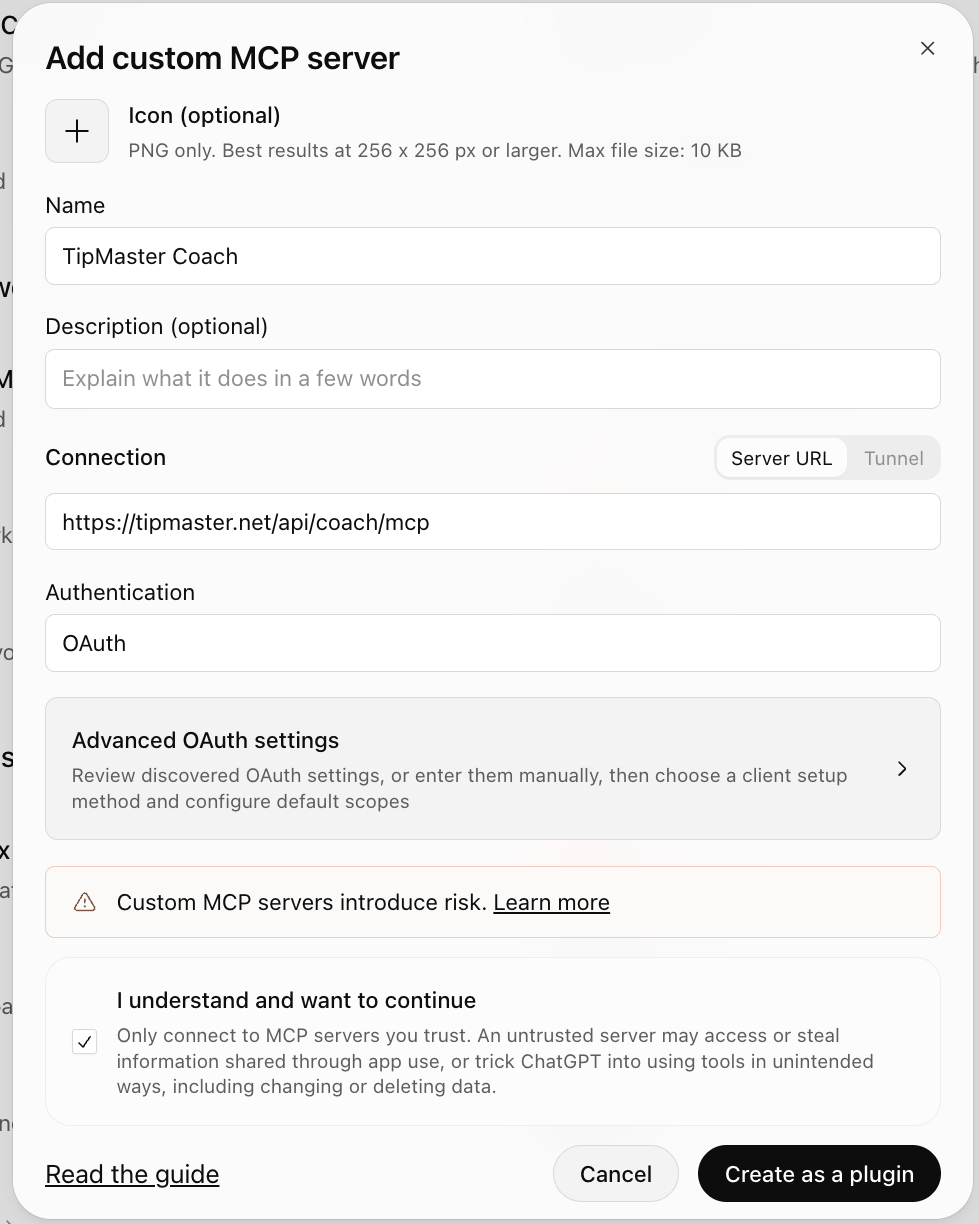
Not listed yet? Click Add, then Add custom MCP server. Enter the nameTipMaster Coach, the server URLhttps://tipmaster.net/api/coach/mcpand the authentication OAuth. Tick I understand and want to continue and click Create as a plugin. Custom servers depend on your ChatGPT plan and workspace. - A TipMaster page opens. Sign in with your TipMaster account and click Allow. You are taken back to ChatGPT.
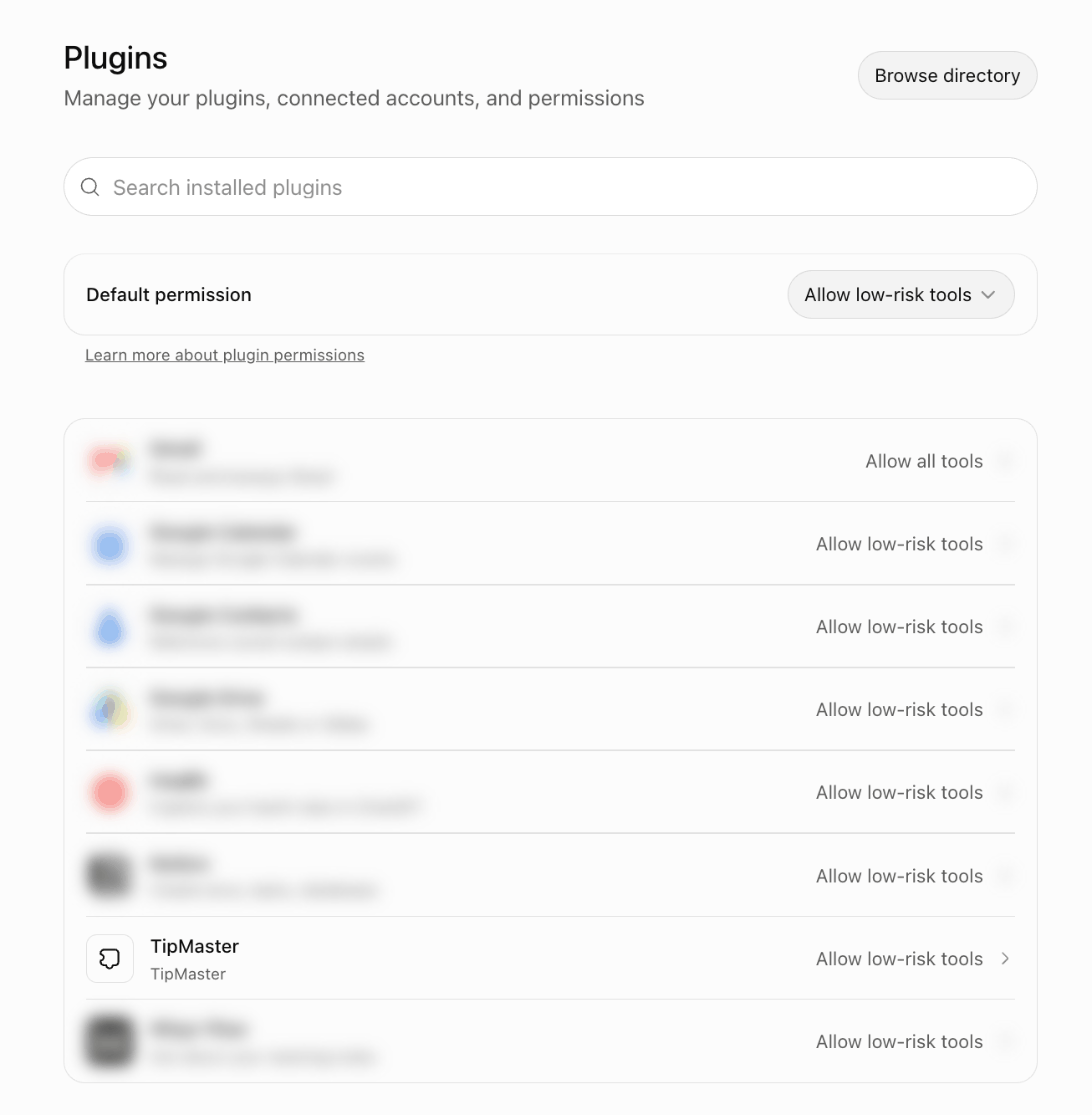
- TipMaster now shows in your plugins.
- In a new chat, type
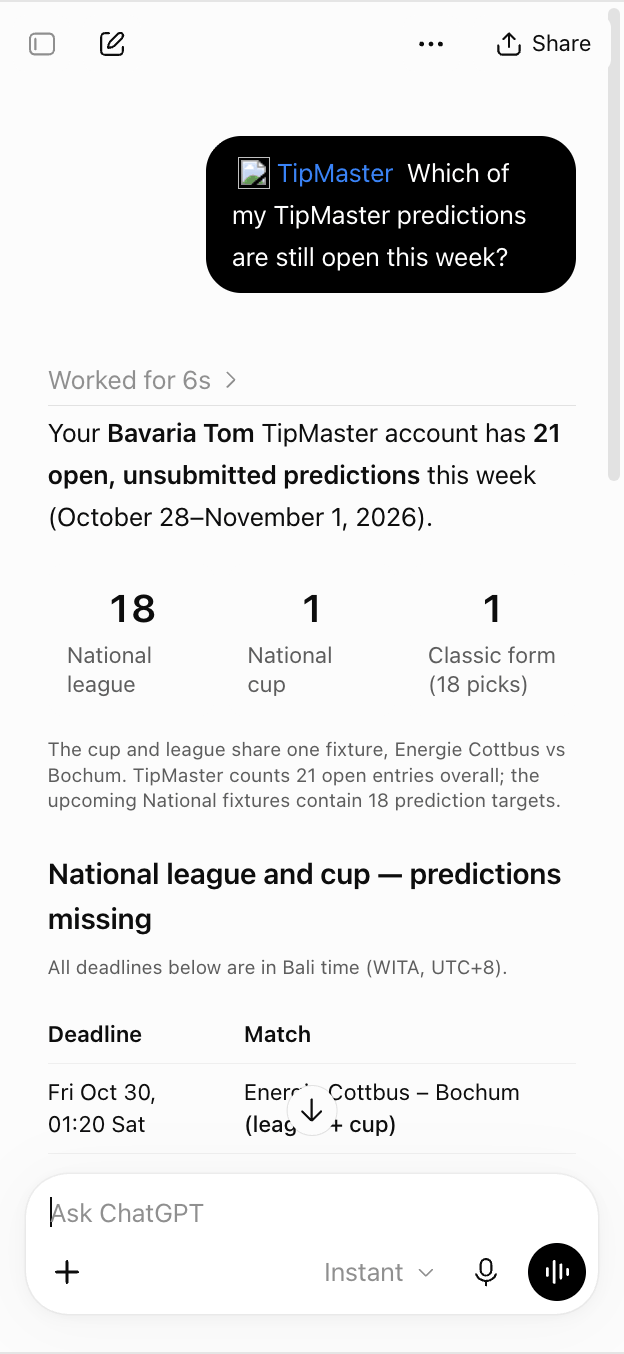
@TipMasteror pick it from the + menu, then ask:How am I doing on TipMaster?
- ChatGPT asks before it saves predictions. Check the scores and confirm.
ChatGPT on a phone (iPhone and Android)
- Add TipMaster once on chatgpt.com or in the desktop app, as above. It is then available in the phone app with the same ChatGPT account.
- In the ChatGPT app, start a chat, tap + and pick TipMaster, or type
@TipMaster. Ask:Which of my TipMaster predictions are still open this week?
Claude on a computer (claude.ai or the Claude app)
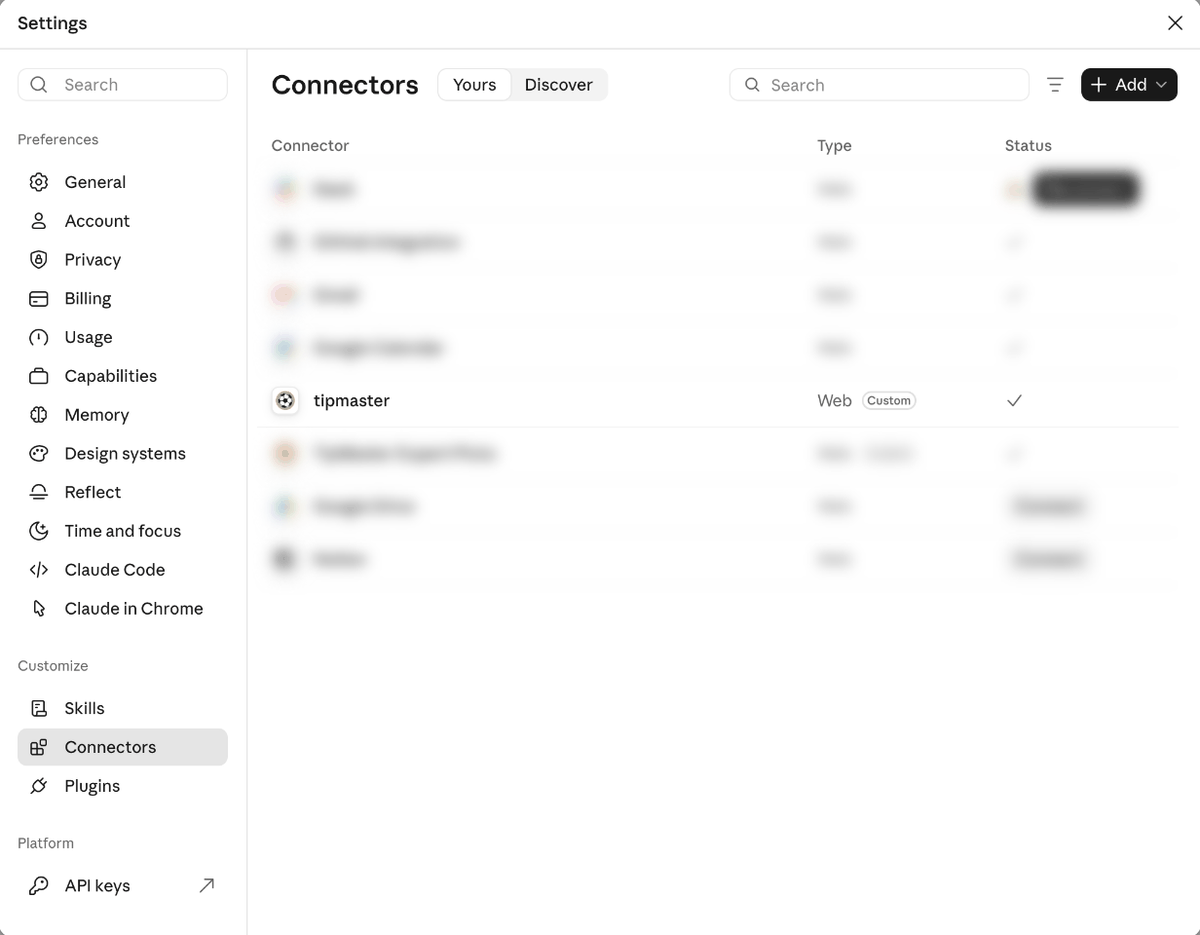
- Open Settings, then Connectors (under Customize).
- Open Discover, search for TipMaster and connect TipMaster Coach.
Not listed yet? Click Add, then Add custom connector. Enter the nameTipMaster Coachand the URLhttps://tipmaster.net/api/coach/mcp, leave the advanced settings empty, click Add and then Connect. - A TipMaster page opens. Sign in with your TipMaster account and click Allow. You are taken back to Claude, and TipMaster shows in your connectors.
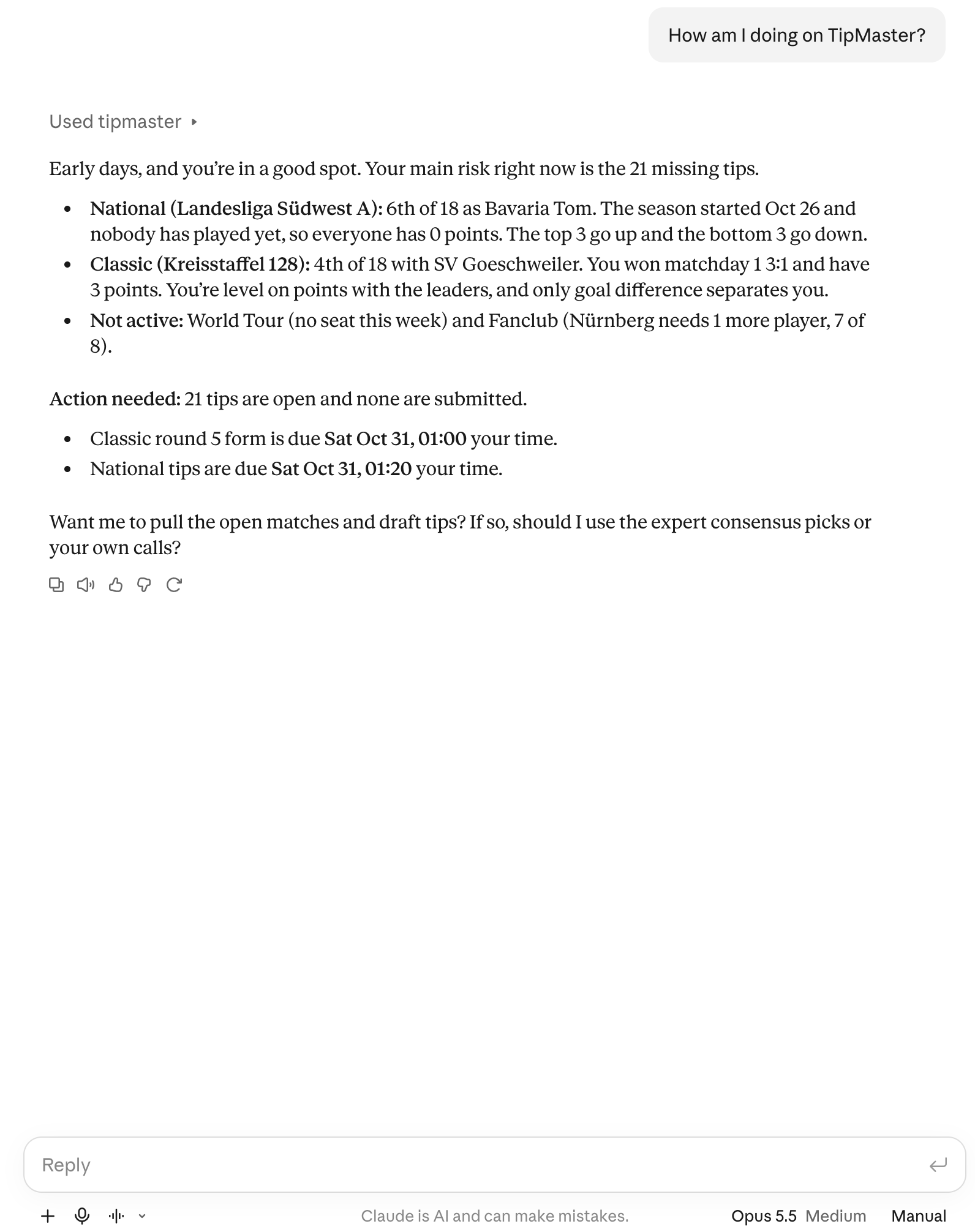
- In a new chat, ask:
How am I doing on TipMaster?
The first time, Claude asks to use TipMaster. Choose Always allow if you do not want to be asked again.

Claude on a phone (iPhone and Android)
- Add TipMaster once on claude.ai or in the desktop app, as above. It then appears in the Claude app with the same account.
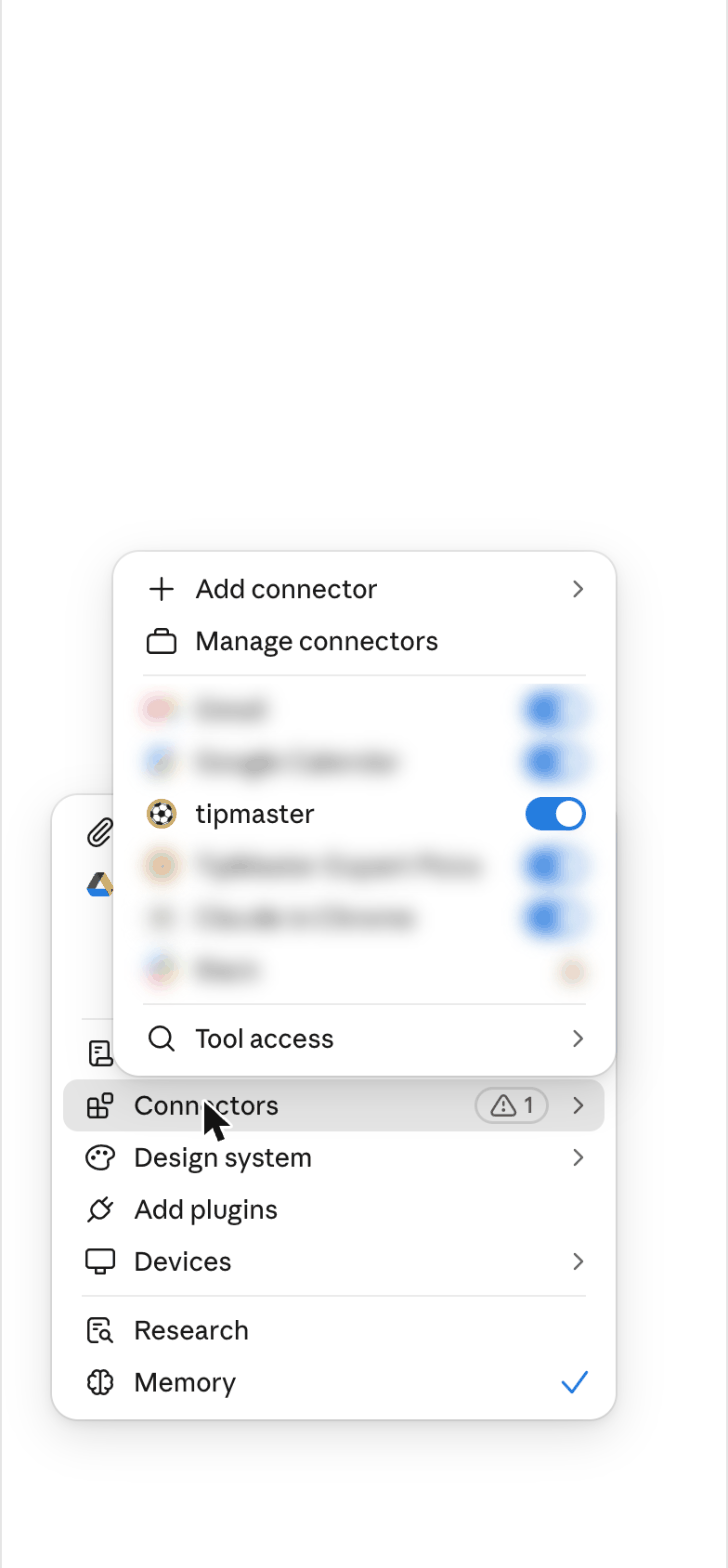
- In a chat, tap +, open Connectors and make sure tipmaster is switched on. Then ask your question.
Disconnect
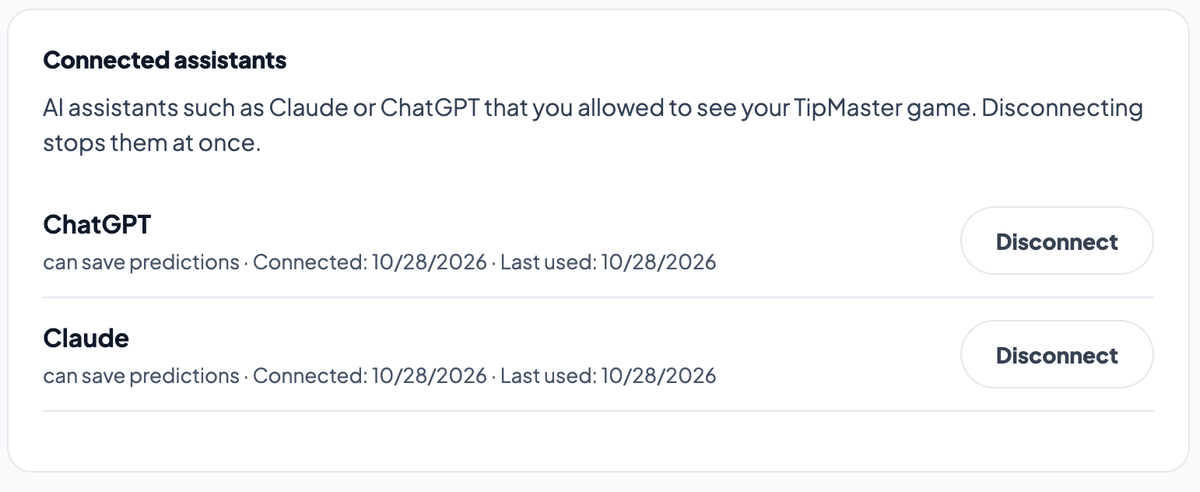
Open your TipMaster account page, find Connected assistants and click Disconnect. The assistant loses access at once. You can also remove TipMaster in ChatGPT or Claude; that does not delete anything at TipMaster.
For developers
| What | Value |
|---|---|
| MCP server | https://tipmaster.net/api/coach/mcp (Streamable HTTP, stateless) |
| Authorization | OAuth 2.1 with PKCE and dynamic client registration; issuer https://tipmaster.net/api/daily/auth |
| Discovery | /.well-known/oauth-protected-resource/api/coach/mcp, /.well-known/oauth-authorization-server/api/daily/auth |
| Scopes | tipmaster:read (your game), tipmaster:tips (save predictions) |
| Tools | get_my_overview, get_my_seasons, get_live_results, get_open_tips, get_my_tips, get_upcoming_matches, get_completed_matches, get_my_standings, get_my_cups, save_tips |
| Limits | 120 calls and 20 saves per minute per coach |
FAQ
Does it cost anything?
No. TipMaster and TipMaster Coach are free. Your ChatGPT or Claude plan is between you and Anthropic or OpenAI.
What can the assistant see?
Your own game: your teams, leagues, tournaments, cups, tables, your predictions and your results. Other coaches' predictions only once a match has locked, as on the site. It never sees your password and cannot change or delete your account.
Can it save predictions without asking me?
The assistant is told to show you the scores and save only what you confirmed, and Claude and ChatGPT ask you before the first save. If you only want it to read, do not allow saving in your assistant.
Is this betting?
No. TipMaster is a free prediction game with no stakes and no odds.
It says "not available" for a mode.
That mode has not opened for your account yet, or you do not play it. Classic shows "not linked" until your Classic trainer is linked on your account page.
The sign-in page says the link has expired.
The link from your assistant is valid for ten minutes. Start the connection again from ChatGPT or Claude.